

M-06 · Materials
Track materials and spare parts
Know what is in stock and what was used on a job.
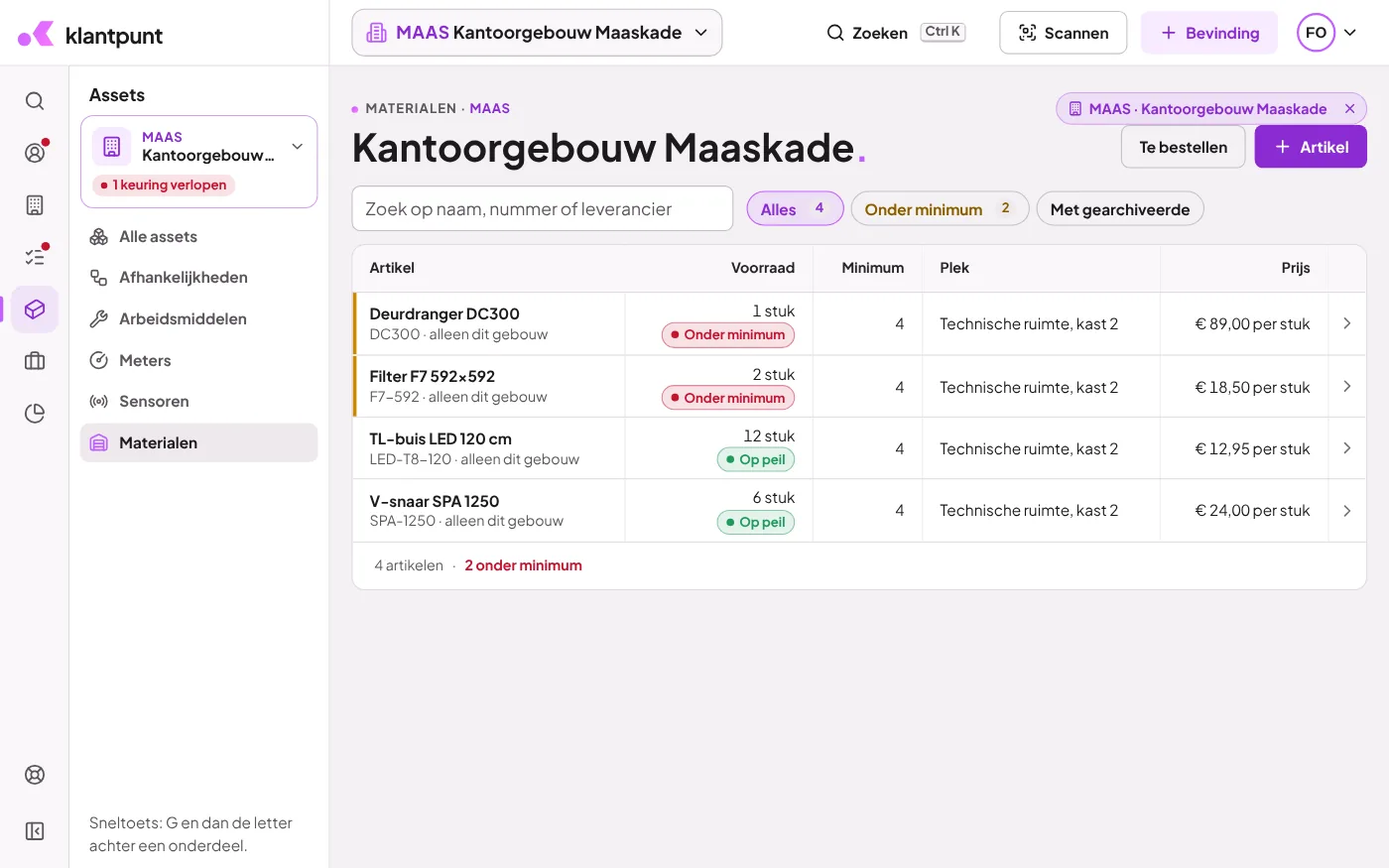
What you can do
- Item list with supplier and price
- Spare stock per building with a minimum
- Materials on maintenance and tasks
- Booked out on completion, with an alert when stock runs low
How it works
- Set up the items and stock per building.
- Link materials to maintenance or a task.
- On completion Klantpunt books the stock out.
Always included: the basics
Floor plan, findings, assets, QR reporting, planning, log and reports come with every building.
Frequently asked questions
What do I use Materials for?
To know what is in stock, such as filters, lamps or spare parts, and what was used on a job.
Does stock go down automatically?
Yes. Link materials to maintenance or a task and Klantpunt books them out when the work is done, with a warning when stock runs low.
Can I track stock per building?
Yes, with a minimum per building, so you see per location what needs ordering.
Works well with
Condition assessment NEN 2767
Inspect with your phone in hand. Condition scores to NEN 2767 that the maintenance plan uses right away.
More about this module M-04ModuleBuilding file
All documents and drawings of a building, always the valid version.
More about this module M-05ModuleInformation screens
A TV in the lobby or the facility office that shows what is going on.
More about this moduleSee Klantpunt with your own building
In half an hour we show you how it works, using one of your buildings as the example. Afterwards you get a quote that fits.
- A reply within one working day
- Fixed prices, never per user
- We import your existing lists for you
Email us: [email protected]
Rather read first?
The ten-page brochure in your inbox.